
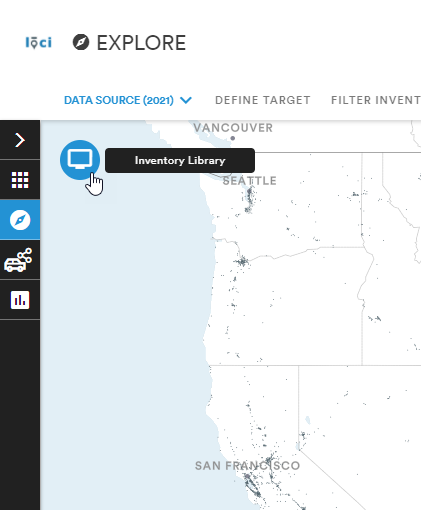
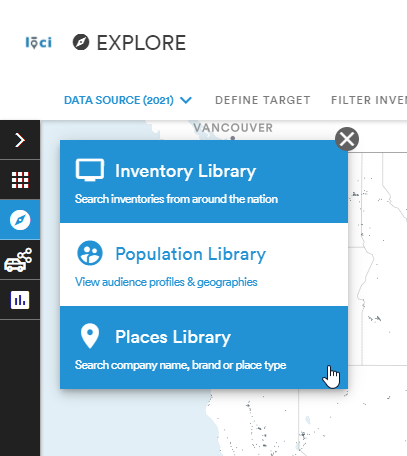
To navigate to the Places Library, click the white TV icon in the blue circle. This will open up a menu to switch between the Inventory Library, the Population Library, and the Places Library.
From the My Places tab, users can manage saved sets of places. From here, users can delete a place set, select a place set, and map place sets.
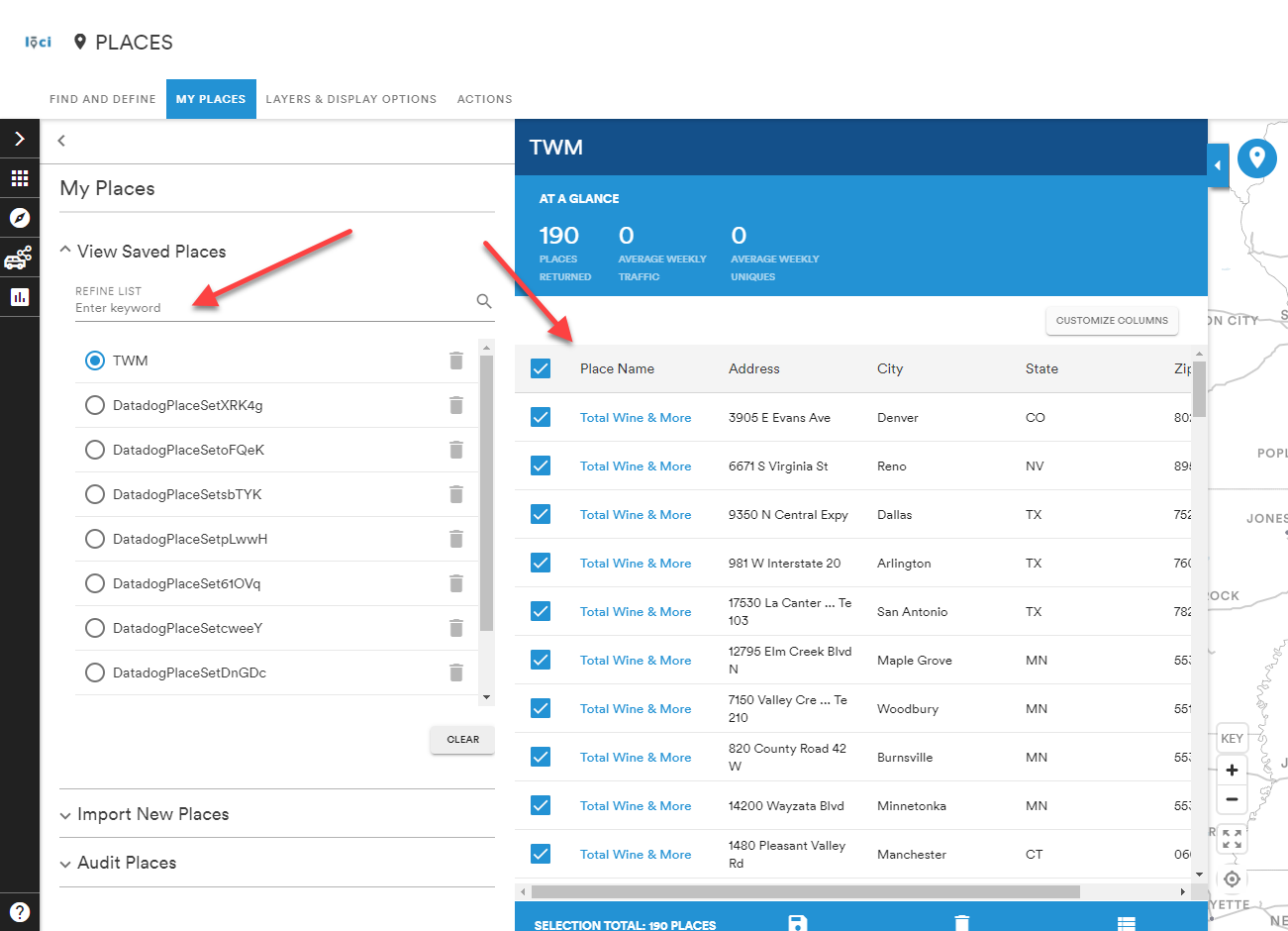
The place sets shown in the View Saved Places dropdown are what will be available in the Workspace and Explore modules.
Users can also select the Import New Places dropdown to upload a CSV file of places to add to their list.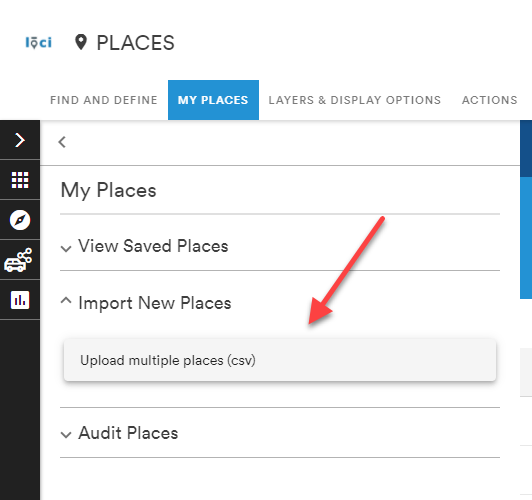
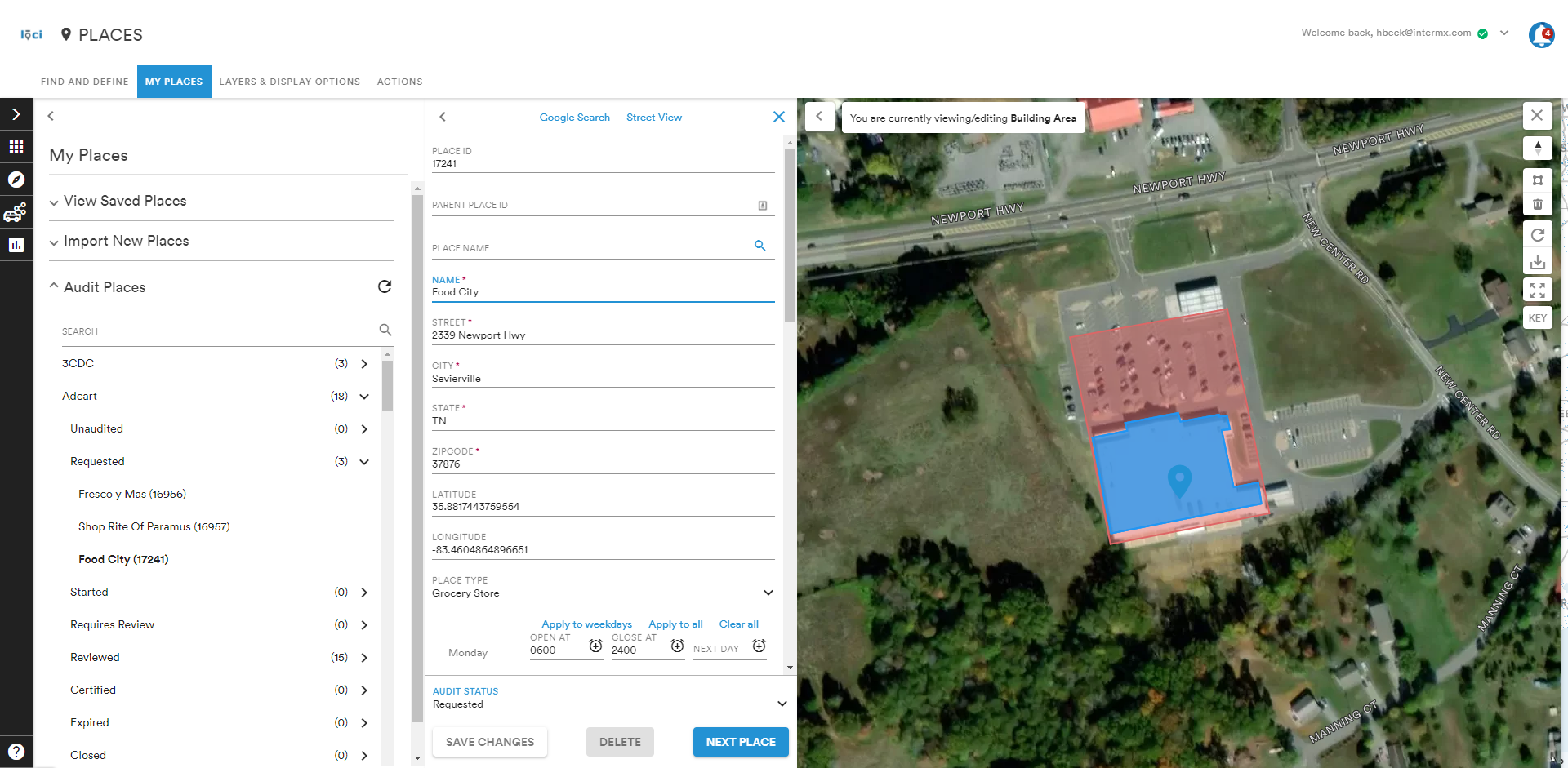
The Audit Places dropdown allows certain users to review and edit place-based media within the Explore Module. This is a permissions-based feature and is not available to all LOCI users.
Comments
0 comments
Please sign in to leave a comment.