
Targets can be defined under the Define Target tab in the Explore Module of the Insights Suite. Users have the ability to define a target audience and a target market.
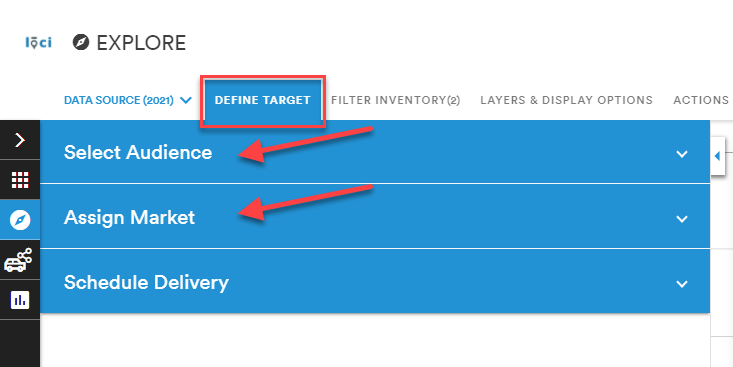
Select Audience
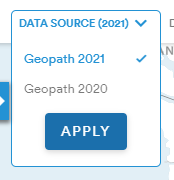
The 2021 Data Source is the default audience but audiences from the 2020 Data Source are also available.
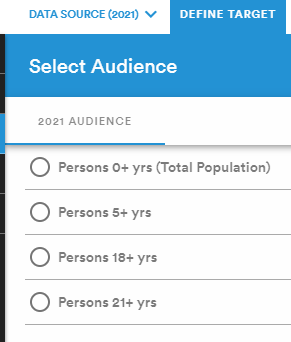
Currently, there are only four audiences available in the 2021 Data Source:
- Persons 0+ yrs (Total Population)
- Persons 5+ yrs
- Persons 18+ yrs
- Persons 21+ yrs
Saved Audiences, Population demographics and behaviors, Consumer Profiles, ADS, and Prizm Premier profiles can all be accessed under Select Audience when using the 2020 Data Source.
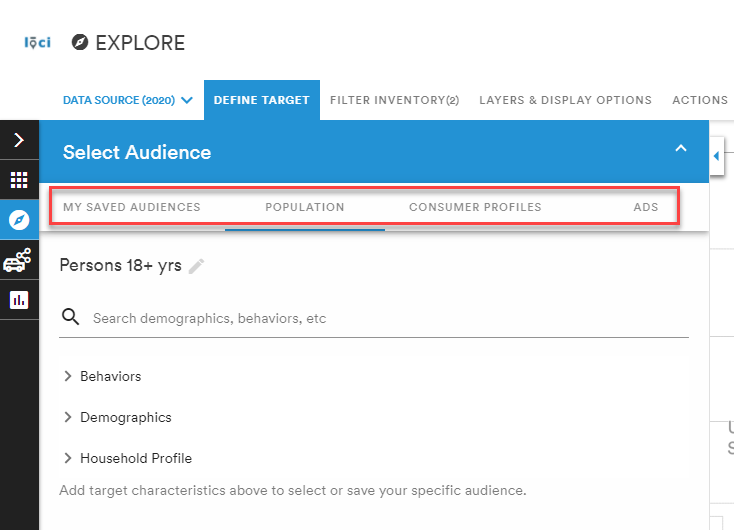
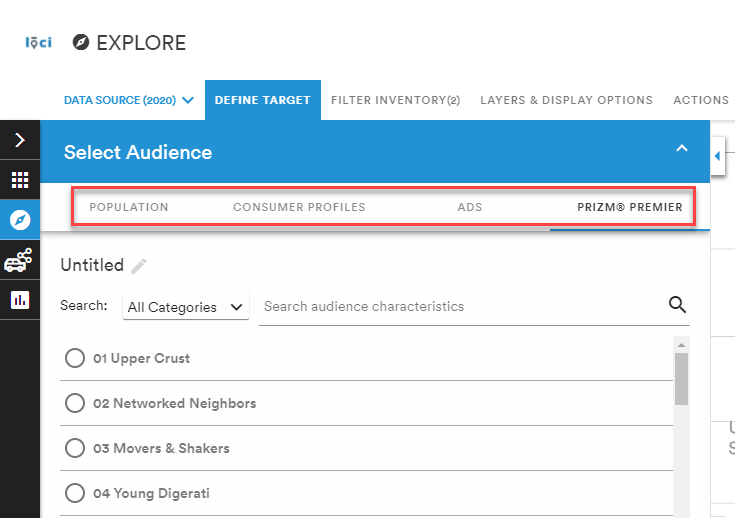
Select the desired audience criteria and Apply.
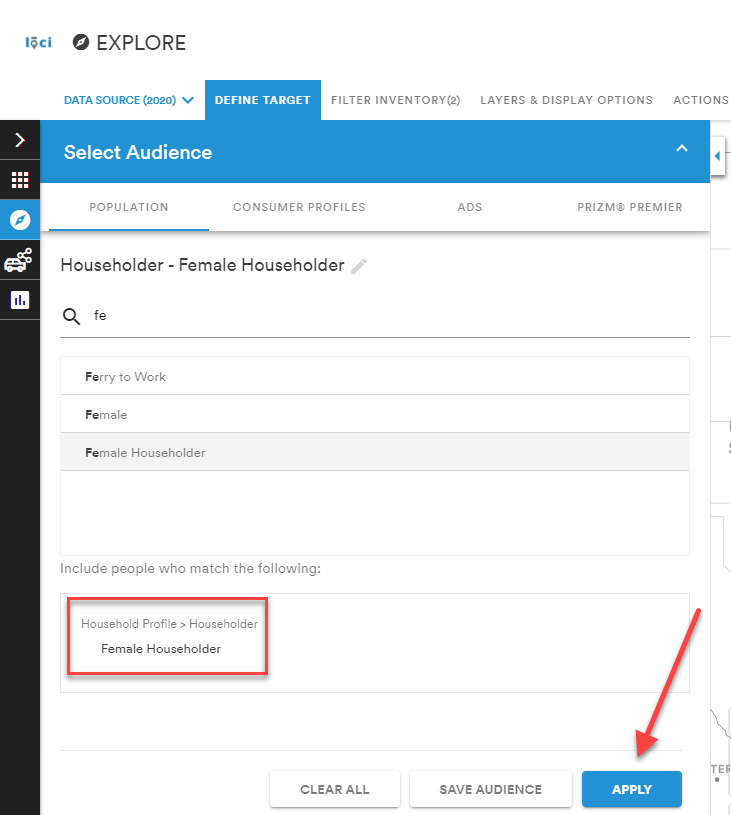
Assign Market
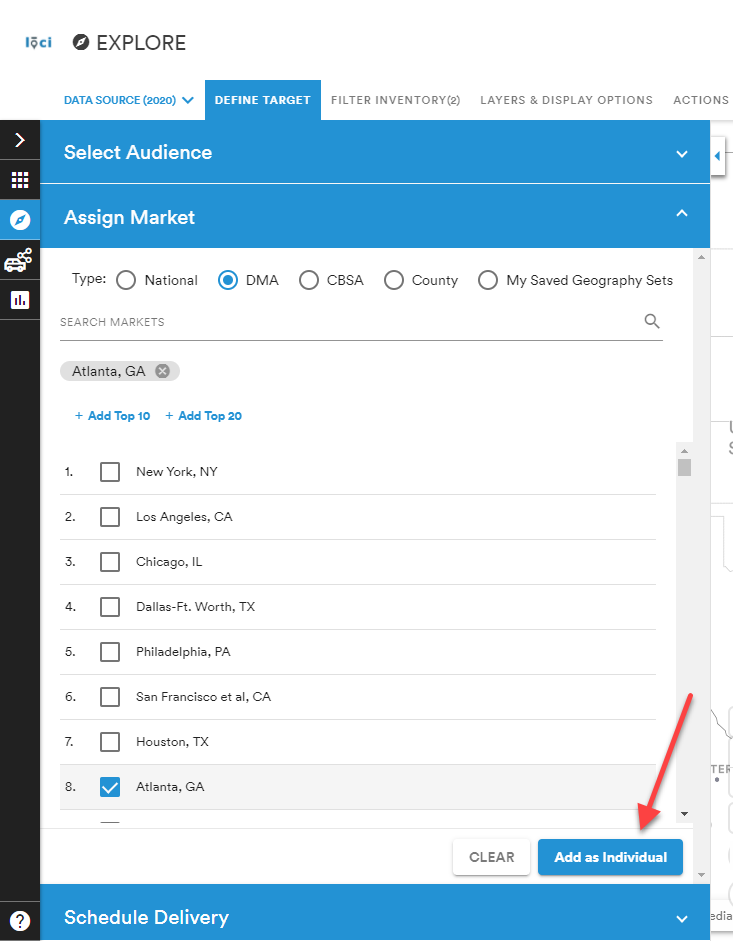
Select the target market under Assign Market by typing the market name and checking the box to the left of the market name and Add as Individual.
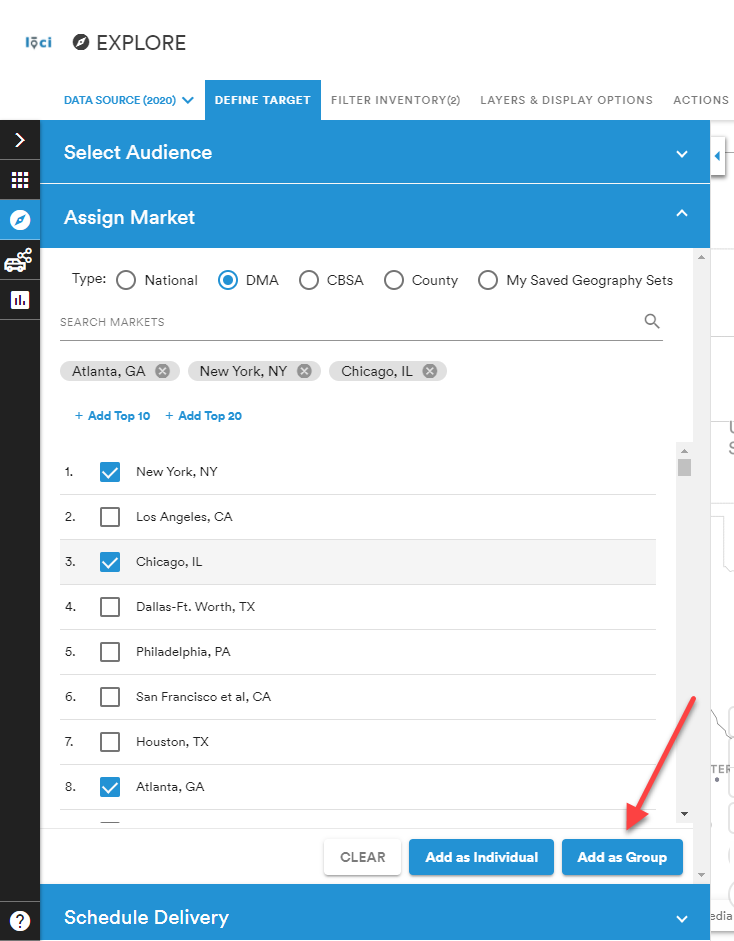
If selecting multiple markets, the option Add as Group will appear and calculate measures for all selected markets.
Note: Once targets are defined, individual pills will show on the map of what has been selected, as shown below.

Comments
0 comments
Please sign in to leave a comment.