
The Layers tab under the Layers & Display Options tab allows users to control certain visual components on the map and customize how each component is shown. Users can choose to apply layers for the following:
- Inventory Sets
- Place Sets
- Audience Delivery: Single Unit
- Single Place
- Specific Geography
- My Saved Geography Sets
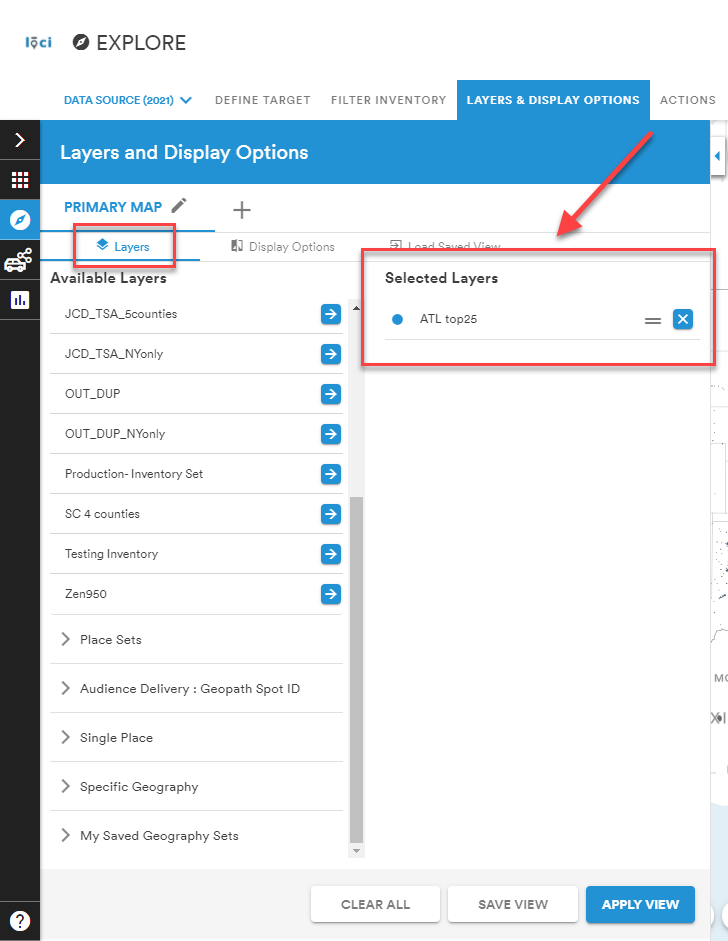
Selected layers will appear on the right, as shown below.
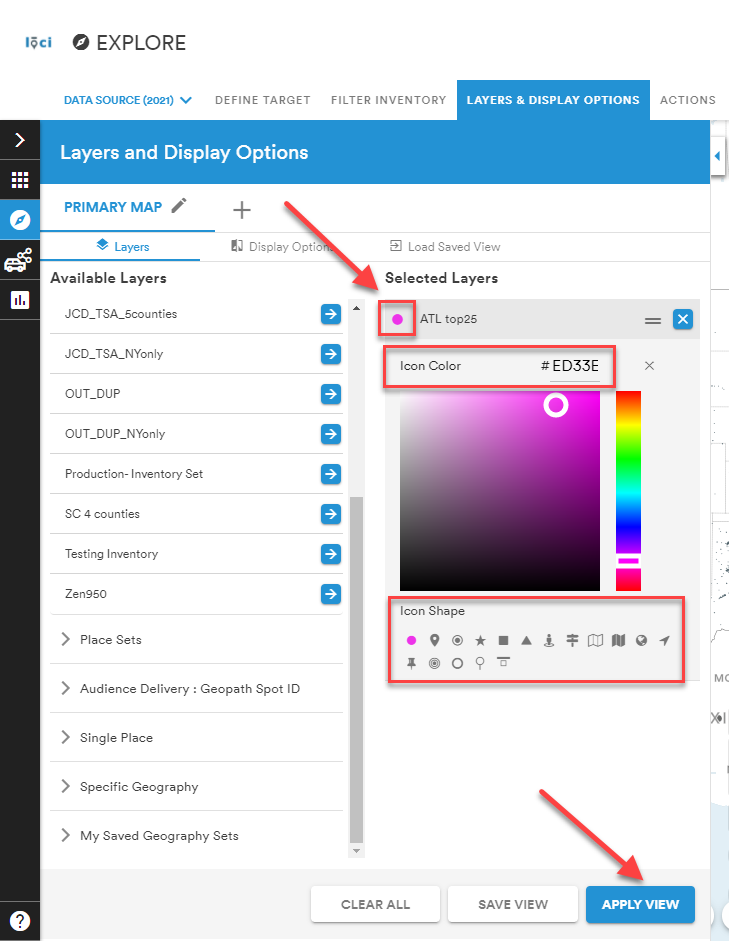
To further customize the map view, users can select the icon beside the layer under the Selected Layers list and modify the color and shape of the icon on the map. Apply to view all layers and customizations on the map.
Comments
0 comments
Please sign in to leave a comment.