
Display Options
The Display Options tab under Layers & Display Options allows users to modify the selections shown on the map. Here, users can choose to show or remove the map icon, zoom, and other map controls and the filter pills by selecting or deselecting the circle to the right of each item and clicking Apply View.
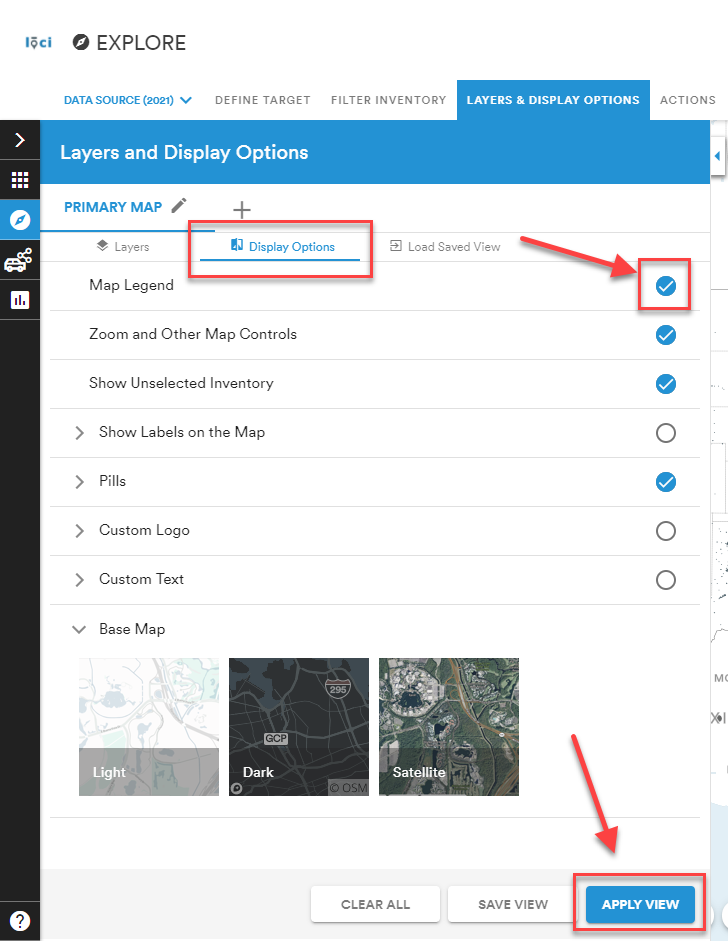
Users can further customize the map by adding a logo or text to display.
Comments
0 comments
Please sign in to leave a comment.