
Using the Load Saved Inventory Sets dropdown within the Specific IDs menu, users can apply sets of previously saved inventory. Use the Search bar to navigate to the specific inventory list or scroll to see the full list of saved inventory sets. Select the checkbox to the left of the saved inventory set name and Apply to view the saved set on the map.
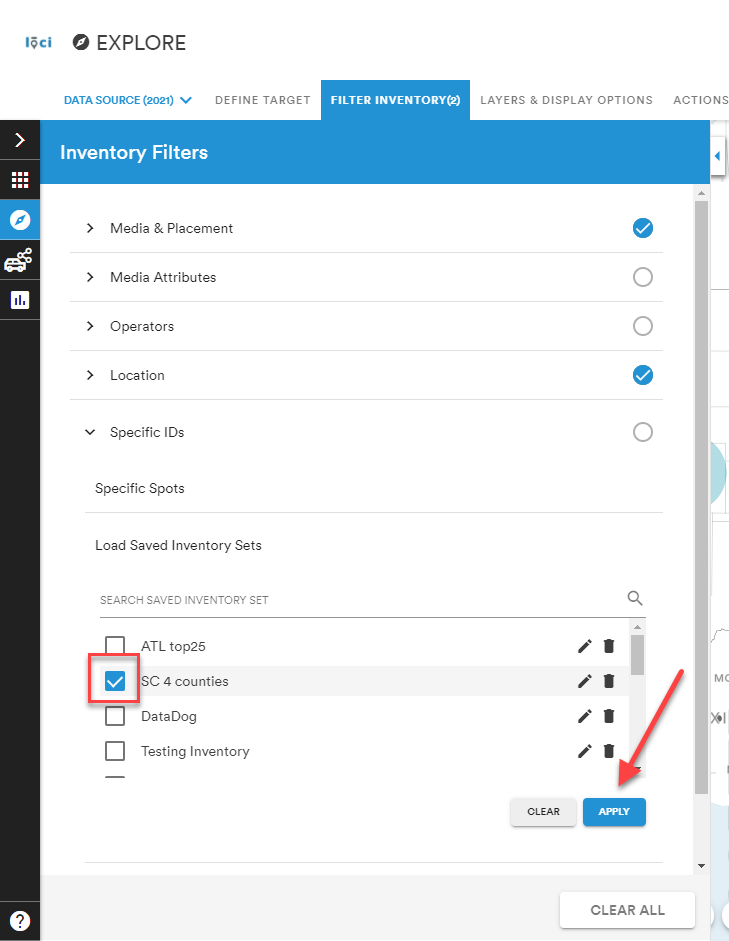
Note: Use the pencil icon to edit the saved inventory set name and trashcan icon to delete the saved inventory set.
Comments
0 comments
Please sign in to leave a comment.