
Update
Workspace
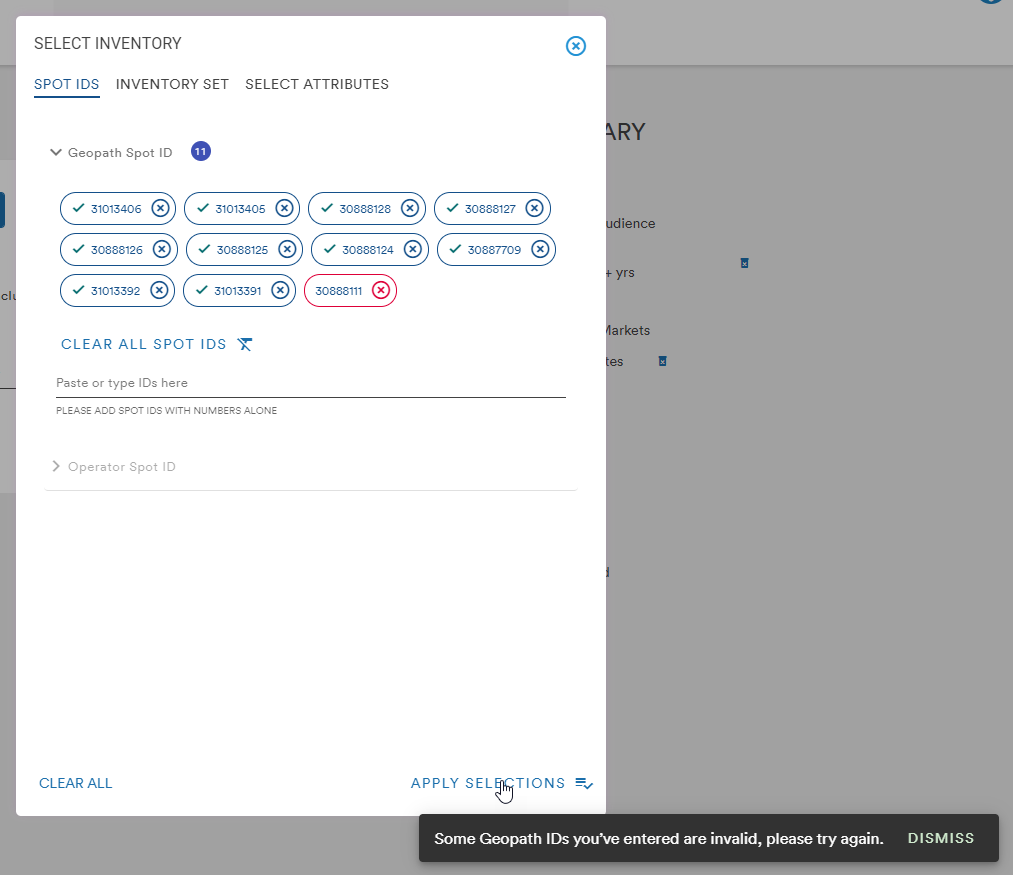
- When adding spot IDs to an Inventory Plan, the system will now confirm the validity of the spots before applying them to the plan. Valid IDs will turn blue with a green check. Invalid IDs will turn red with a red X and the message "Some Geopath IDs you've entered are invalid, please try again." will appear in the bottom messaging area
Bug Fix
- A bug has been fixed that caused the "Add as Group" button to disappear when adding a market via the search bar
Comments
0 comments
Please sign in to leave a comment.